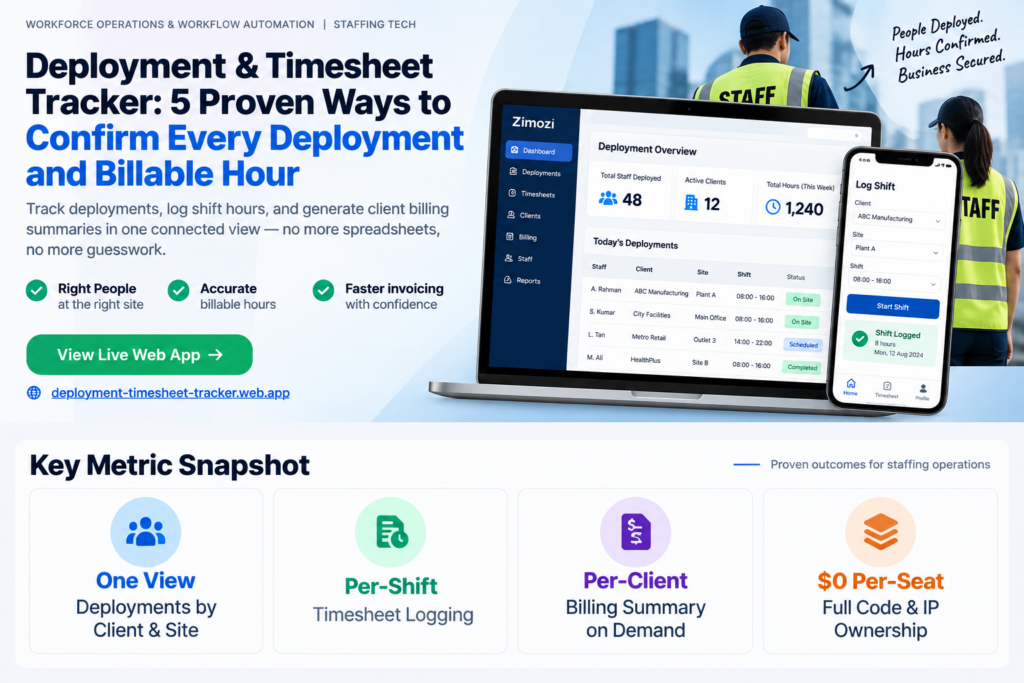
A Deployment and Timesheet Tracker solves a staffing agency’s primary operational challenge: coordinating field worker schedules and tracking billable hours across multiple customer accounts. When agencies deploy dozens or hundreds of workers across dynamic project sites, dates, and shift rotations daily, centralized tracking becomes critical.
A Deployment and Timesheet Tracker helps agencies maintain clear, centralized visibility into workforce allocation and working hours. Managers need immediate answers to four essential questions: Who is assigned to each site? Where is each person expected to report? How many hours were actually worked? And what are the total billable hours for each client account?
By centralizing deployment schedules, attendance, timesheets, and billable-hour calculations, the tracker reduces manual coordination and makes client billing and workforce management more efficient.
In many small and mid-sized staffing firms across Singapore, these records sit scattered across separate Excel spreadsheets, mobile chat threads, physical paper timesheets, and individual client folders. The deployment plan lives in one document while actual worked hours are captured somewhere else entirely.
The Deployment and Timesheet Tracker by Zimozi connects staffing plans directly to worked hours in a unified web application. Designed specifically for Singapore manpower and staffing SMEs, it links customer deployments, field assignments, logged shift times, and client billing summaries into one operating workflow.
Why Manual Deployment and Timesheet Tracking Fails at Scale
Managing worker schedules using static spreadsheets and chat groups creates costly operational friction that worsens as business expands:
- Uncontrolled schedule updates: Last-minute worker replacements or site adjustments confirmed in chat messages are rarely updated in the master file, leading staff to operate from outdated schedules.
- Zero live account visibility: Operations managers cannot see at a glance which workers are assigned to a specific client site on any given day.
- Disconnected shift hours: Rostered schedules dictate the planned shift duration, but actual timesheets record what was worked. Matching these disconnected records later requires manual effort.
- Tedious client billing calculations: Billable hours sit fragmented across individual worker logs, forcing administrative staff to merge multiple spreadsheets by hand before billing can start.
- Difficult historical verification: Answering basic client or worker inquiries about who was stationed at a specific location last month requires searching through archived folders and message histories.
- Protracted client disputes: When a client disputes billed hours or a worker questions their shift pay, managers must first determine which schedule or timesheet is authoritative.
Core Capabilities of the Deployment and Timesheet Tracker
Instead of overwhelming teams with complex enterprise software, the application focuses on five essential capabilities to streamline planning, timesheet logging, and billing preparation:
| Operational Feature | Manpower Agency Function |
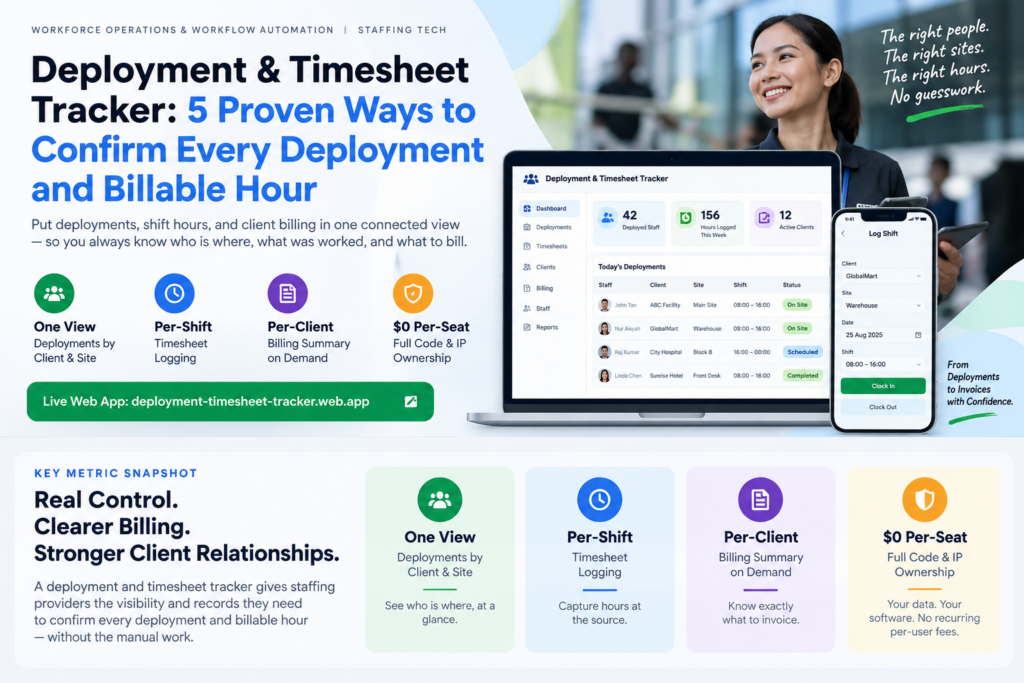
| Deployment Scheduling by Client and Site | Organizes upcoming staffing requirements around the client account, job location, calendar date, and shift time. |
| Direct Staff Assignment | Links specific workers directly to the client and site shift, making shift ownership clear. |
| Shift Timesheet Logging | Captures actual completed hours against the original scheduled assignment, keeping time data in context. |
| Client Billing Summary | Aggregates all logged billable hours under the corresponding client account to prepare for billing. |
| Staff Assignment History | Retains an auditable historical log of previous shifts to trace who worked at each client location. |
The Daily Operational Flow for Staffing Coordinators
The platform changes staffing administration from matching deployments and hours after the fact to recording both inside a continuous workflow:
- Schedule the Shift: The operations coordinator selects the client and work location, then enters the shift date and required hours into the shared schedule.
- Assign the Worker: The coordinator assigns qualified workers to the shift, immediately defining both where the job takes place and who is responsible for covering it.
- Staff Access Shift Details: Deployed personnel open their shift view to see the assigned client, work site, date, and rostered hours in one place.
- Log Completed Hours: At shift completion, the worker or supervisor records actual worked hours directly against the assignment record.
- Review Deployment and Time Records: The manager opens the client site view to compare scheduled shifts against logged hours, catching missing timesheets early.
- Open the Client Billing Summary: The application groups billable hours automatically by client account, eliminating the chore of manually piecing together individual worker timesheets.
- Retrieve Historical Work Records: When audits or client inquiries arise, managers review historical logs to verify past assignments without digging through old files.
Why Focused Operational Tools Outperform Enterprise Software
Many manpower businesses attempt to adopt massive enterprise applicant tracking only to abandon them because of steep learning curves and excessive administrative overhead.
The Deployment and Timesheet Tracker is intentionally scoped to address the primary operational bottleneck. Complex corporate modules such as recruitment pipelines, applicant tracking, automated payroll calculations, salary disbursements, invoice creation, payment gateways, leave management, biometric clock-ins, GPS tracking, and client self-service portals are intentionally excluded from the initial system.
By concentrating strictly on connecting shift planning, field assignments, logged hours, and client billing totals, the application provides an intuitive platform that staffing teams can use immediately without extensive training.
Frequently Asked Questions (FAQ)
What is the Deployment and Timesheet Tracker?
The Deployment and Timesheet Tracker is a focused web application developed by Zimozi that connects client deployment schedules, worker assignments, actual shift hours, and client billing summaries into one shared system for staffing agencies.
How does the application simplify client billing preparation?
The system groups all logged shift hours directly under the relevant client and site account, allowing operations managers to review total billable hours without manually combining individual paper timesheets or spreadsheets.
Who is this staffing tool designed for?
The platform is Designed specifically for small-to-midsize staffing agencies, workforce suppliers, and temp agencies operating across dynamic, distributed job sites across diverse client sites and shift schedules.
Does the system calculate payroll or process invoices?
No. The core system operates as an operational staffing and timesheet tool, focusing on deployment scheduling, hours logging, and client billing summaries without including automated payroll processing or invoice creation.
How does the app resolve billing disputes and worker inquiries?
Because every logged timesheet is linked directly to a specific client, site, date, and worker assignment, managers can trace complete historical records instantly to verify disputed hours or past deployments.