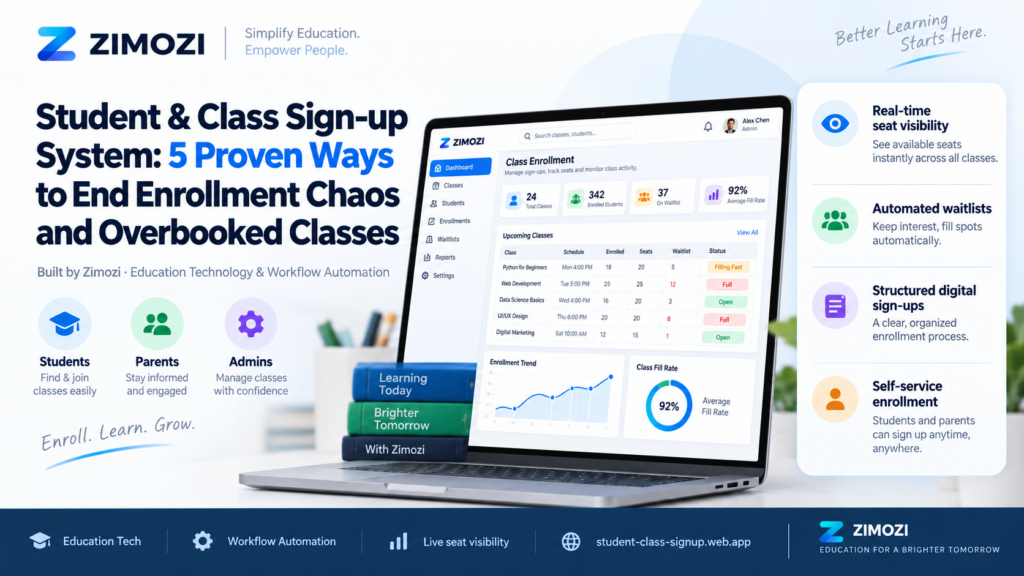
Running an educational centre involves a demanding daily cycle: onboarding new learners, scheduling session times, tracking remaining seats, recording daily attendance, and verifying fee statuses. Despite this high-frequency routine, educational businesses worldwide—from private tutoring centres and STEM learning labs to music studios and test-prep academies—often manage these workflows through disconnected channels.
Registrations arrive via online forms, parents confirm timings over messaging apps, rosters live in disjointed spreadsheets, and attendance is logged on clipboards.
The Student and Class Sign-up System by Zimozi
delivers a unified operational workflow built specifically for growing educational centres and learning academies. Leveraging our expertise in custom SaaS solutions
and modern software development services, the system centralizes learner records, active class timetables, live capacities, session check-ins, and tuition fee statuses within one dashboard.
Why Spreadsheets Fail: Key Operational Challenges
Managing an education centre with isolated tools works only while total student counts remain small and a single administrator keeps every detail in mind. When organizations rely on manual entries, maintaining high data integrity becomes difficult. As enrolment expands, disjointed data sources cause persistent operational bottlenecks:
- Unsynchronized registration records: Submitting an intake form does not automatically place a student into a class, forcing staff to update rosters manually.
- Uncertain seat availability: Administrators must manually count rows in spreadsheets to check capacity before confirming a booking, creating delays and risking overbooking.
- Disconnected attendance logs: Attendance taken in paper notebooks or standalone sheets remains unlinked from overall student profiles, demanding post-class data consolidation.
- Fee tracking without context: Payment spreadsheets list amounts or flags, but staff must still cross-reference separate files to identify the corresponding class and student history.
- Single point of failure: Operational stability depends on individual memory, leaving substitute staff unable to determine which spreadsheet reflects real-time numbers.
The fundamental issue is not using messaging apps or spreadsheets individually. The failure occurs because enrolment, seat capacity, attendance tracking, and payment statuses do not feed into a unified operational hub.
Core Capabilities of the Student and Class Sign-up System
The Student and Class Sign-up System replaces manual data transfers with an integrated workflow where every administrative action updates the shared operational view:
| Operational Feature | Learning Centre Function |
| Today’s Classes Dashboard | Displays scheduled classes in chronological order, showing active enrolments, timings, and remaining seat availability. |
| Unified Student Profiles | Centralizes learner enrolment details in a single record, eliminating redundant data entry across multiple lists. |
| Live Capacity Management | Displays real-time seat availability before placements are confirmed, ensuring classes never exceed maximum thresholds. |
| Dynamic Class Rosters | Updates class rosters automatically as students are placed, removing the need to reconcile separate spreadsheets. |
| Session Attendance Tracking | Logs student presence directly against scheduled class sessions, anchoring attendance history directly to the student profile. |
| Contextual Payment Status | Displays current tuition fee flags alongside enrolment data, avoiding external searches during parent inquiries. |
Daily Operational Workflow for Education Administrators
Instead of collecting, verifying, and reconciling isolated sheets each morning, centre staff follow a consistent, continuous operational routine:
- Review Daily Schedules: The administrator opens the dashboard to check the day’s class timings, current participant counts, and available slots without switching across external calendars.
- Record or Search Learners: New registrations are logged directly into the system, establishing a single authoritative record for all future activities.
- Confirm Class Placement: Staff review available capacity, assign the learner to the matching session, and the student immediately appears on the active class roster.
- Access the Working Roster: Prior to session commencement, instructors and administrative personnel view the current enrolled list without needing paper handovers.
- Mark Live Session Attendance: During or immediately following class, attendance is marked directly against the roster, attaching the session history to each learner.
- Review Unified Status: Staff inspect payment statuses, historical attendance, and class associations together on one screen during parent communications.
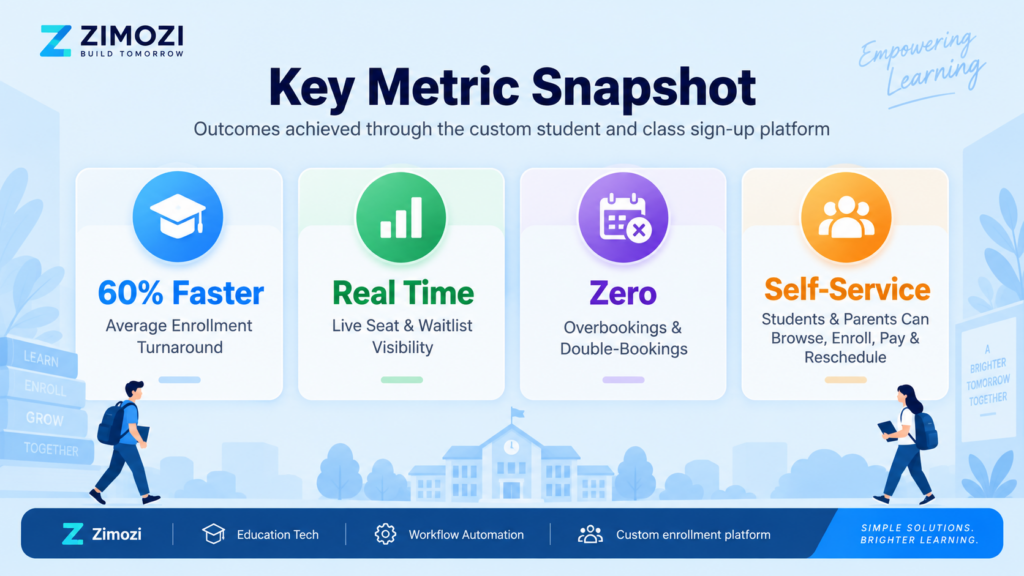
Focused Scope: Why Lean Operational Apps Beat Bloated Software
Education centres often hesitate to adopt generic enterprise software because massive platforms require extensive staff training, include unwanted modules, and demand steep onboarding periods.
The Student and Class Sign-up System focuses strictly on the essential operational loop: student sign-up, class scheduling, capacity control, roster management, session attendance, and payment verification. Non-essential enterprise modules such as heavy grading portals, complex curriculum builders, teacher payroll engines, and third-party accounting modules are intentionally omitted.
By streamlining the essential operational loop, the platform provides education centres worldwide with an intuitive tool that team members can adopt without complex manuals or long setup delays. Discover more of our dedicated web apps in our creations and case studies.
Frequently Asked Questions (FAQ)
What is the Student and Class Sign-up System?
The Student and Class Sign-up System is an operational web application built by Zimozi that connects student registrations, class scheduling, seat capacities, class rosters, session attendance, and payment statuses into one dashboard.
Who is this system designed for?
The system is built for private tutoring centres, enrichment academies, test-preparation institutes, STEM/coding labs, language schools, and educational SMEs managing multiple weekly classes and student cohorts.
How does the system prevent class overbooking?
The system updates seat counts dynamically as students are enrolled, allowing administrators to verify exact open capacity before finalizing any class assignment.
Does this application handle external payment processing?
No. The system focuses on internal operational workflows, providing a centralized interface to view and log student payment statuses alongside enrolment profiles without integrating automated gateway processing.
How does this solution replace manual spreadsheets and paper sign-in sheets?
Instead of forcing administrators to transfer data between forms, messaging apps, and spreadsheets, every action updates the same central system, linking student registrations, live rosters, and session attendance in real time.