Implementing custom lesson scheduling software is essential for tuition centres, language academies, music schools, and enrichment institutes looking to scale without operational bottlenecks. Yet behind classroom doors, education administrators and educators often battle an endless cycle of logistical friction: double-booked classrooms, instructor timetable clashes, lost attendance sheets, and fragmented student progress notes.
When scheduling and student tracking run on ad-hoc spreadsheets, paper sign-in sheets, and messaging groups, operational cracks spread quickly. Tutors walk into lessons without clear progress context, center managers spend hour’s manually reconciling bookings, and parents receive delayed feedback on their child’s academic development.
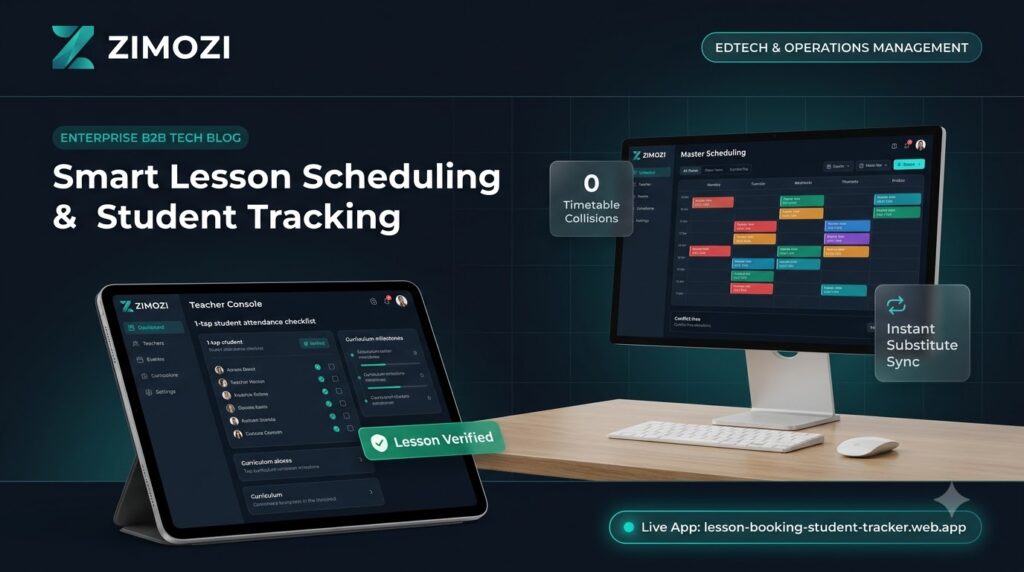
Zimozi engineered the Lesson Booking & Student Tracker Platform to eliminate timetable friction, automate attendance billing, and provide continuous student learning profiles. Deploying custom lesson scheduling software gives academies a centralized source of truth across classrooms, tutors, and learning milestones.
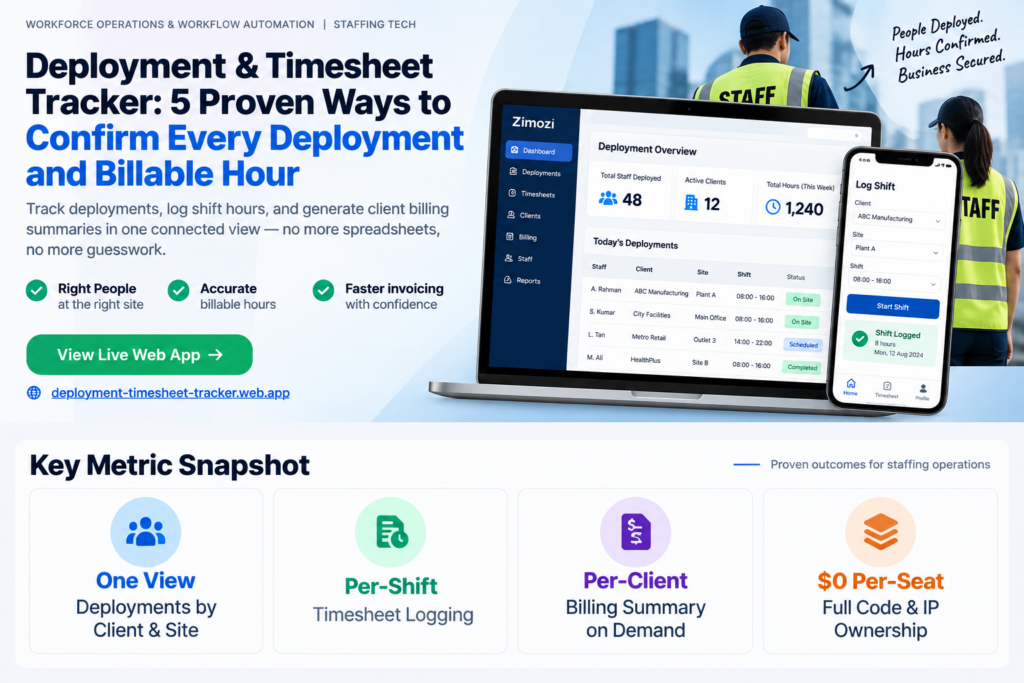
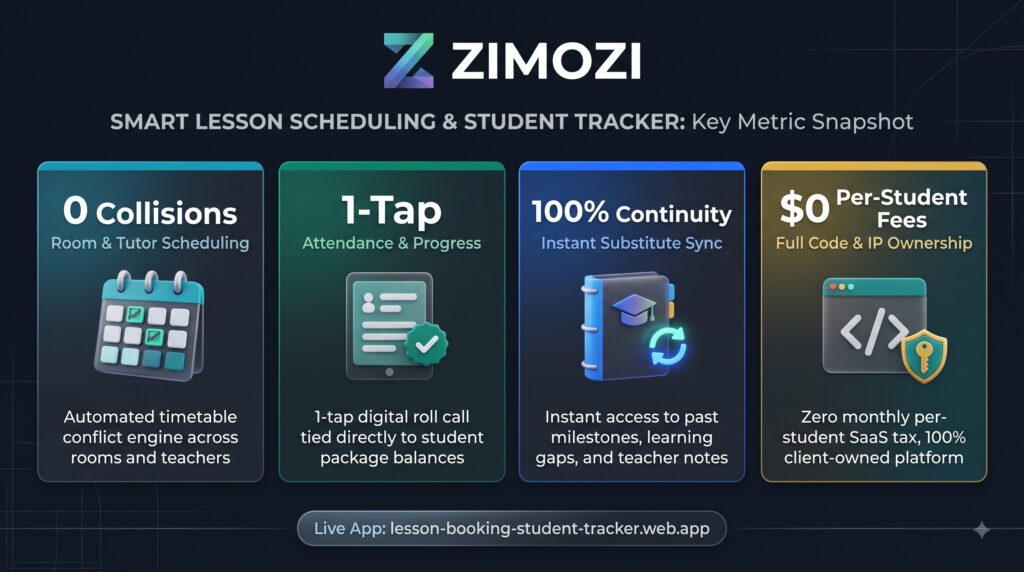
Key Metric Snapshot
The Breakdown: Why Generic Calendars and Spreadsheets Fail
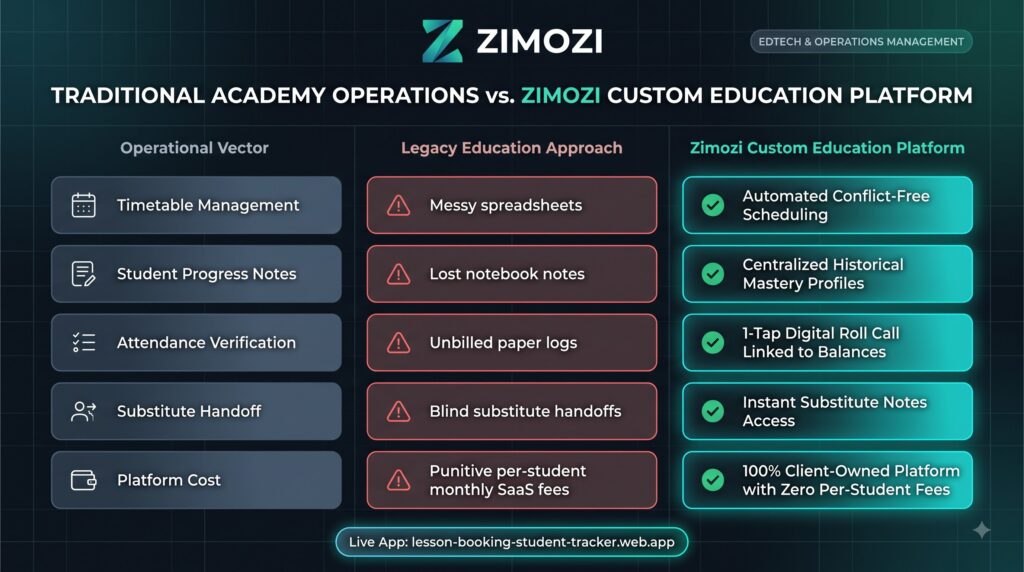
- Room Collisions and Instructor Clashes: Coordinating multi-teacher schedules across varying room capacities using spreadsheets inevitably creates double-bookings, instructor shortages, and unallocated classrooms.
- Lost Student Progress Context: When a teacher falls sick or a student shifts classes, substitute instructors teach blind. Lesson milestones, learning barriers, and assessment grades remain trapped in physical notebooks or individual chat threads.
- Attendance Leakage and Billing Disputes: Paper sign-in sheets lead to untracked absences, unbilled makeup sessions, and disputed package renewal balances with parents.
- Educator Admin Fatigue: Tutors spend 20 to 30 percent of their workday compiling attendance reports and drafting manual progress summaries instead of teaching.
5 Ways Zimozi Streamlines Academy & Education Workflows
1. Role-Governed Workspaces (Manager vs. Educator)
To maintain structured operations and protect student records, Zimozi delivers dedicated, role-specific environments:
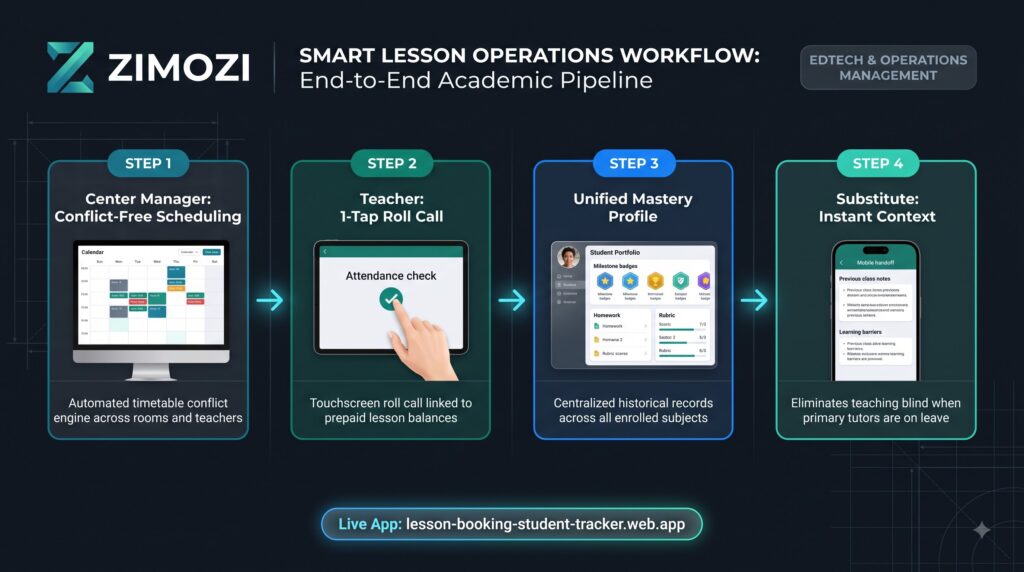
Centre Manager Dashboard: Complete oversight of centre-wide timetables, instructor capacity, room allocations, student enrolment statuses, and makeup class quotas .
- Educator Admin Fatigue: Tutors spend 20 to 30 percent of their workday compiling attendance reports and drafting manual progress summaries instead of teaching, a leading cause of teacher burnout according to research by the World Economic Forum.
2. Conflict-Free Timetable Engine
The booking engine validates bookings across three operational constraints simultaneously: instructor availability, room capacity, and student schedule compatibility. Timetable clashes and room double-bookings are blocked automatically.
3. Unified Student Mastery and Academic History
Every completed lesson links to a permanent digital student portfolio. If a regular teacher is absent, substitute instructors pull up curriculum notes, past assignments, and learning barriers in seconds, guaranteeing lesson continuity.
4. 1-Tap Attendance and Automated Makeup Slot Triggers
Tutors take roll call with a single tap during the first five minutes of class. Logged absences automatically update lesson package balances and release open seats for makeup bookings, preserving academy revenue.
5. Capacity Optimization and Instructor Load Balancing
Visual load metrics display active teaching hours, preventing instructor burnout and revealing underutilized classroom capacity to support student enrolment growth.
Traditional Academy Operations vs. Zimozi Custom Platform
Frequently Asked Questions
What is custom lesson scheduling software?
Custom lesson scheduling software is a dedicated education management application engineered specifically around an academy’s unique class structures, classroom capacities, and grading rubrics. Unlike generic calendar apps, it links tutor availability, student enrolment packages, and academic progress notes into a single conflict-free timetable engine.
How does centralized student tracking support substitute teachers?
When an instructor is absent, substitute teachers can log into the educator console and review a student’s full historical record, including recent lesson milestones, homework submissions, and specific learning barriers. This eliminates instructional blind spots and ensures uninterrupted curriculum delivery.
Why should enrichment centers and academies build custom software instead of paying per-student SaaS fees?
Off-the-shelf school management platforms impose recurring monthly fees that increase as student enrolment grows. Custom platforms engineered by Zimozi grant educational businesses complete code ownership and database control, eliminating recurring per-student or per-tutor software licensing taxes.
Build Your Education Platform with Zimozi
Growing academies require scheduling and academic management software designed around their exact pedagogical workflows. Zimozi engineers custom, scalable web applications and EdTech platforms that eliminate administrative friction and protect centre revenue.
👉 Test the live application: lesson-booking-student-tracker.web.app
🚀 Learn more about custom engineering: Zimozi Solutions
Choosing a custom lesson scheduling software can help academies scale. A custom lesson scheduling software provides better tracking. Therefore, custom lesson scheduling software is highly recommended.